💻 Command System
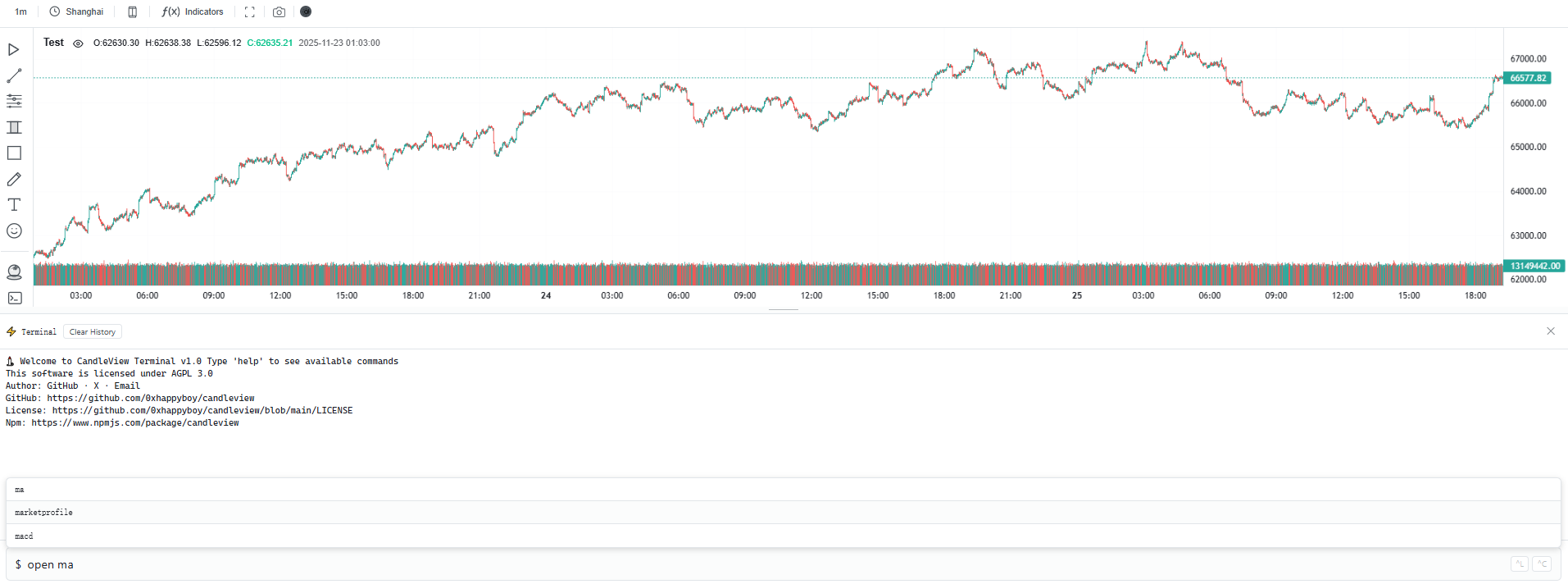
Supported Commands
Basic Commands
| Command | Description | Example |
|---|---|---|
clear / cls | Clear terminal output | clear |
help | Show all available commands and indicators | help |
theme [light dark] | Switch theme | theme dark |
history | Show recently executed command history | history |
Indicator Operations
| Command | Description | Example |
|---|---|---|
open [indicator] | Open specified main or sub chart indicator | open ma |
close [indicator] | Close specified main or sub chart indicator | close rsi |
Main Chart Indicators
- ma - Moving Average
- ema - Exponential Moving Average
- bollinger - Bollinger Bands
- ichimoku - Ichimoku Cloud
- donchian - Donchian Channel
- envelope - Envelope
- vwap - Volume Weighted Average Price
- heatmap - Heatmap
- marketprofile - Market Profile
Sub Chart Indicators
- rsi - Relative Strength Index
- macd - Moving Average Convergence Divergence
- volume - Volume
- sar - Parabolic SAR
- kdj - KDJ (Stochastic Oscillator)
- atr - Average True Range
- stochastic - Stochastic Oscillator
- cci - Commodity Channel Index
- bbwidth - Bollinger Bands Width
- adx - Average Directional Index
- obv - On Balance Volume
Keyboard Shortcuts
| Shortcut | Function |
|---|---|
↑ / ↓ | Navigate command history |
Tab | Auto-complete current suggestion |
Enter | Execute command or confirm completion |
Ctrl + L | Clear input field |
Ctrl + C | Cancel current operation |
Esc | Clear input field and hide suggestions |
Usage Examples
$ open ma # Open Moving Average indicator
$ close bollinger # Close Bollinger Bands indicator
$ theme light # Switch to light theme
$ history # View recent command history
Last updated on